
Run three checks before generation
This is not a quality score. It is a short way to decide whether a still has enough usable information for the specific movement you want. A ready photo can still produce an imperfect clip; the check simply prevents an avoidable source problem from being misread as a prompt problem.
Subject
Name the one thing that must remain recognisable after movement starts. If two people, two products, or a crowded background compete for attention, decide which one owns the first moment.
Crop
Look for protected space around the detail that matters. A face, label, hand, or product edge pressed against the frame cannot safely absorb a camera move or an aspect-ratio crop.
Depth
Find at least two visible layers that could move differently: foreground and background, subject and setting, or a stable surface and a moving element. This gives motion a relationship to describe.
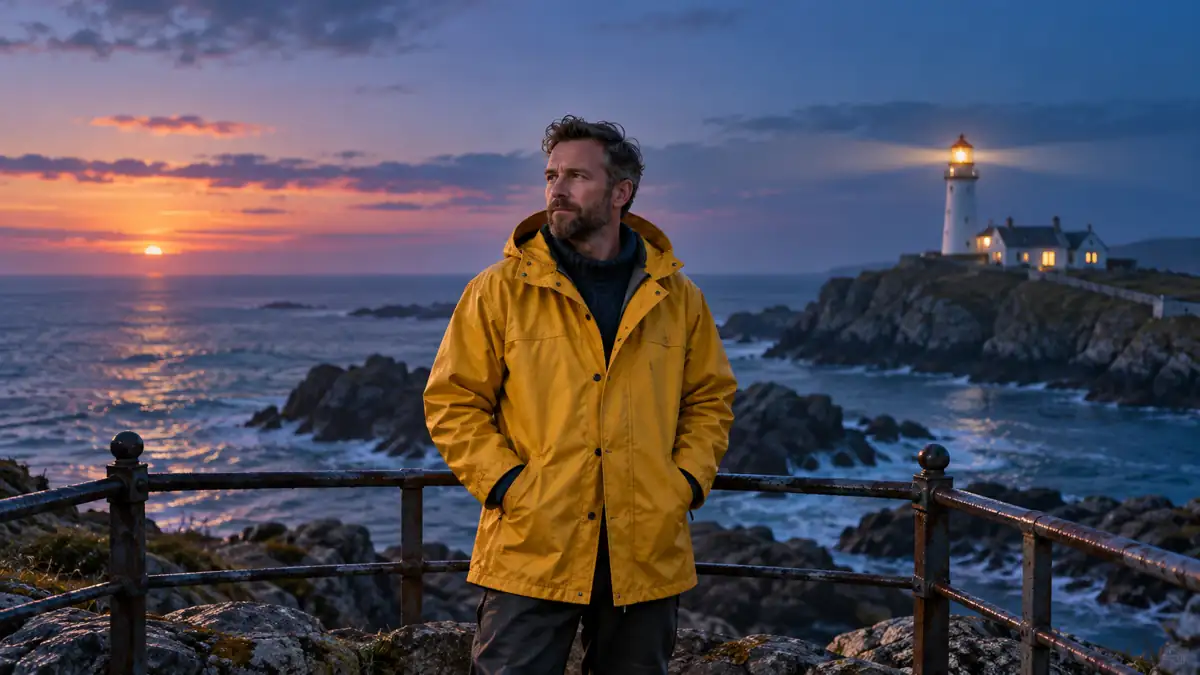
Minimum input versus motion-ready input
| Question | Minimum input | Motion-ready input |
|---|---|---|
| Can the tool accept it? | The file uploads as one image. | The file uploads, and you can name the visual detail the next clip must preserve. |
| What happens at the edge? | The main detail may be cropped tightly or cut off. | The essential subject has breathing room for the intended frame and small movement. |
| What can change? | The prompt must invent nearly every relationship. | The prompt can describe a modest change between visible layers, such as a foreground move against a stable setting. |
| What can you review? | Only whether a file was generated. | Whether the named subject, crop boundary, and scene relationship held through the clip. |
Useful boundary: Do not treat a single-image workflow as a smaller storyboard. A one-photo input gives the generator one visible starting scene; a storyboard supplies separate source decisions. Pick the workflow that matches the information you actually have.
Fix the source, not the motion sentence
If the subject is unclear
- Choose a version with one obvious visual owner.
- Remove a competing crop or choose a different first frame.
- Write the motion around the chosen subject, not the whole scene.
If the crop is too tight
- Use a wider source instead of asking the model to invent missing edges.
- Reserve room around a product label, face, or action point.
- Choose the intended aspect ratio before checking the edge space.
If the scene is flat
- Look for an image with a foreground, middle distance, and background.
- Use environmental motion only when a visible layer supports it.
- Keep the requested camera move modest when depth is weak.
If a detail must not drift
- Name the detail in the source record before prompting.
- Make it large enough to inspect in the intended delivery frame.
- Review that one detail before judging the rest of the result.

A four-step readiness preflight
- Choose the intended frame. Decide whether the finished clip is vertical, square, or landscape before you judge the crop. The same photo can be ready for one route and too tight for another.
- Point to the visual owner. State what must still be recognised after the first movement. If you cannot identify it in one phrase, simplify the source choice.
- Mark the protected edge. Identify the detail that cannot be lost to a crop, tilt, or camera move. Replace the source or widen the composition if there is no margin.
- Name one relationship that can move. Describe an observable pair, such as a stationary product against a changing light or a person against a distant background. Then test that one idea first.
Why one image is not automatically enough
An archived TokkingHeads page from 2021 described a one-photo animation product that accepted a single image alongside other animation inputs. That is a capability boundary, not a promise that every uploaded photo is ready for every kind of motion. This guide turns that boundary into a source-photo check: first establish what the image can preserve, then choose a movement that fits it.
Historical source: TokkingHeads archive, 2021. The archive is used only to distinguish a one-photo minimum from a motion-ready source; no archived wording is reproduced.
Questions about image-to-video photo readiness
Can a portrait be motion-ready if the background is plain?
Yes, if the face is clearly framed and the motion is modest. Treat the person and the background as separate visual layers, and do not ask a flat image to support a large camera move it cannot show.
Should I add empty space around the subject?
Add it only where the intended crop or movement needs it. The goal is not a generic border; it is enough protected room for the details you must keep visible in the chosen frame.
What if I want several different beats?
Use a storyboard or separate source images when each beat needs a different composition. A single photo is a useful starting scene, not a substitute for source decisions you have not made.
Does this check guarantee a stable result?
No. It gives you a clearer source and a narrower first test. Keep a record of the source, route, and chosen review question so the next version has a visible basis for comparison.
Related image-to-video planning guides
Once the photo is ready, choose the input workflow, plan the frame, and keep the next comparison controlled.